
Creating studio-grade animations, kinetic typography, and product explainer videos used to require months of training in complex desktop software like Adobe After Effects. Today, however, modern AI Motion Graphics Websites are transforming how creators, marketers, educators, and startups produce high-impact visual content. Instead of spending hours wrestling with manual keyframes, graph editors, and heavy render queues, you can now generate crisp, customizable motion graphics directly in your browser in a fraction of the time.
In 2026, a new generation of specialized AI Motion Graphics Tools has emerged. Unlike generic text-to-video generators that produce unpredictable raster footage, these dedicated platforms focus on structured vector animation, clean typography, data visualization, and alpha-channel overlays. Whether you are a solo YouTuber, a SaaS founder launching a new feature, or a social media manager scaling video ads, choosing the right After Effects Alternative can save you dozens of hours every week.
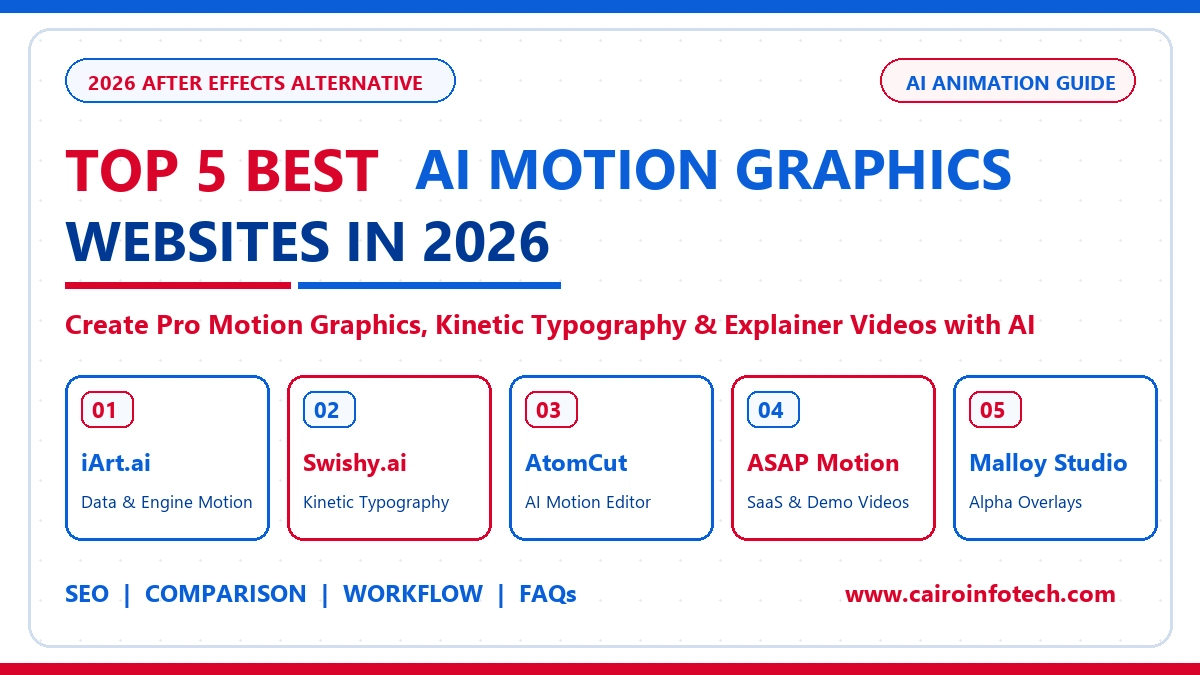
In this comprehensive guide, we have deeply tested and reviewed the top five AI Animation Websites dominating the creative industry in 2026: iArt.ai, Swishy.ai, AtomCut, ASAP Motion, and Malloy Studio. You will learn how each platform works, what makes it unique, how it compares to Adobe After Effects, and which tool fits your workflow best.
What is AI Motion Graphics and How Does It Work?
AI Motion Graphics refers to the use of artificial intelligence and programmatic design engines to automate the creation of animated visual elements. These elements include kinetic typography, animated charts, logo reveals, UI callouts, lower thirds, and product explainer scenes. Rather than manually placing keyframes on a timeline for every single position, scale, and opacity change, you provide high-level creative direction using text prompts, brand assets, or structured data.
Understanding how these platforms work under the hood helps explain why they are so much faster than traditional workflows. Most leading Text to Motion Graphics AI platforms rely on a three-stage pipeline:
- Prompt and Asset Parsing: First, the AI analyzes your natural language prompt, uploaded SVG logo, PDF document, or website URL. It extracts key headlines, visual hierarchy, color palettes, and pacing requirements.
- Programmatic Scene & Motion Synthesis: Next, instead of generating blurry pixels frame by frame, the motion engine maps your elements onto structured vector layers, easing curves (such as cubic-bezier spring physics), and timing rules. This ensures text remains razor-sharp at 4K resolution.
- Conversational & Parameter Editing: Finally, you can refine the output either by chatting with the AI (for example, saying “make the headline blue and slow down the chart animation”) or by adjusting clean property sliders without touching complex node graphs.
Because the underlying architecture uses structured motion code rather than pure diffusion video, you retain full control over brand fonts, exact hex colors, and factual numbers. Consequently, AI Motion Graphics Websites have become reliable enough for real-world commercial and enterprise marketing campaigns.
Can AI Create Adobe After Effects-Level Animations?
This is one of the most common questions asked by video editors and graphic designers in 2026. The honest answer depends on the type of project you are building. For 80% of everyday digital marketing, YouTube storytelling, SaaS product demos, and social media reels, modern AI Video Animation Tools already match—and often outpace—standard After Effects templates in speed and visual polish.
For instance, creating a clean animated bar chart, a 2×2 comparison matrix, or a kinetic typography hook in Adobe After Effects can take anywhere from 45 minutes to several hours. In contrast, an AI-powered motion platform can generate the same clean vector animation with smooth easing in under 60 seconds.
However, After Effects still holds the crown for bespoke Hollywood-grade VFX, complex 3D camera tracking, custom character rigging, and intricate multi-pass compositing. Therefore, smart creators do not treat AI tools as a total replacement for every edge case. Instead, they use AI Graphic Design Websites to eliminate repetitive motion work and reserve manual compositing only for highly specialized projects.
Top 5 Best AI Motion Graphics Websites in 2026
Before diving into our detailed hands-on reviews, here is a quick overview of the top five Best AI Animation Websites of 2026. Each tool excels in a specific area of motion design, ranging from data-driven vector engines to browser-based NLE timelines and transparent video overlays.
| Rank | Platform Name | Best Use Case | Key Standout Feature | Export Formats |
|---|---|---|---|---|
| 1 | iArt.ai | Data & Brand Motion Graphics | Multi-format input & conversational editing | MP4, Transparent Video |
| 2 | Swishy.ai | Kinetic Typography & Social Clips | Professional easing & timing AI engine | MP4, MOV, GIF |
| 3 | AtomCut | Full Browser Motion Design Studio | Infinite vector canvas + NLE timeline + MCP AI | MP4, WebM, GIF, SVG, Lottie |
| 4 | ASAP Motion | SaaS Demos & Product Launches | URL-to-video & zero-keyframe workflow | MP4 (up to 4K, 16:9 / 9:16 / 1:1) |
| 5 | Malloy Studio | Transparent Overlay Assets | Alpha-channel exports for Premiere & Resolve | WebM, MOV (Transparent) |
If you also edit videos on mobile devices alongside your desktop or browser workflow, you can explore our guide on KineMaster video editing tools to combine mobile cuts with AI-generated motion overlays.
What is iArt.ai? Features, Pricing, and How to Use It
iArt.ai stands out in 2026 as one of the most intelligent, structured AI Motion Graphics Websites available. Rather than acting like a random generative video model, iArt.ai operates as a dedicated programmatic motion graphics engine built specifically for vector precision, clean typography, and accurate data representation.
Key Features of iArt.ai
- Multi-Format Input Support: You are never restricted to plain text prompts. iArt.ai accepts SVG logos, PDFs, presentation slide decks, audio tracks, datasets, images, and web links, automatically parsing them into structured motion scenes.
- Conversational Editing (“Say It, Change It”): Need to swap a headline, adjust chart timing, or change an accent color? Simply type your instruction in plain English, and iArt.ai modifies the underlying animation parameters instantly.
- Strict Brand Compliance: Marketing teams can lock exact hex color codes and upload custom TTF font files as hard constraints. As a result, the AI never hallucinates off-brand colors or garbled text.
- Specialized Motion Categories: It excels at explainer videos, audio-synced kinetic typography, logo reveals, animated financial or analytics charts, and transparent video overlays.
How to Use iArt.ai Step by Step
- Visit the official iArt.ai website and start a new motion project.
- Upload your brand kit (SVG logo, hex codes, custom fonts) along with your source material—such as a product brief, CSV dataset, or voiceover audio.
- Enter a clear prompt describing the desired visual flow (for example, “Create a 15-second animated bar chart comparing Q1 to Q4 growth using our brand blue”).
- Review the generated preview and use the conversational chat box to fine-tune pacing, layout, or text copy.
- Export your finished video in high-definition MP4 or transparent overlay format ready for publishing.
Pricing & Verdict: iArt.ai offers flexible access tiers designed for solo creators, startups, and growing marketing teams. If your top priority is factual accuracy, data charts, and strict brand consistency without touching After Effects, iArt.ai is an unbeatable choice.
How to Create Motion Graphics with Swishy.ai
Swishy.ai is a fast, creator-focused AI Animation Generator engineered specifically for kinetic typography, dynamic text animations, and punchy social media visuals. While many AI tools struggle with awkward timing and stiff linear movement, Swishy.ai is trained on core animation principles—such as anticipation, easing curves, spacing, and visual hierarchy.
Why Creators Love Swishy.ai
- Next-Level Kinetic Typography: Generate eye-catching animated headlines, lyric-style captions, and rhythmic text reveals ideal for YouTube intros, Instagram Reels, and TikTok hooks.
- Prompt-to-Motion Workflow: Describe your visual concept or paste your script, and Swishy.ai automatically pairs your copy with smooth object transitions and balanced layouts.
- Deliberate Easing & Motion Physics: Every slide, bounce, and scale transition uses natural motion curves rather than robotic linear keyframes, giving your videos an authentic agency-crafted feel.
- Logo Reveals & Explainer Elements: Quickly produce broadcast-ready logo stings and clean callout graphics without downloading heavy project templates.
Step-by-Step Guide to Swishy.ai
- Open Swishy.ai in your browser and select your target aspect ratio (16:9 widescreen, 9:16 vertical, or 1:1 square).
- Type a prompt explaining your scene, including the exact text you want animated and the mood (e.g., “Bold energetic kinetic typography announcing our 2026 Summer Launch”).
- Customize the generated scene by tweaking font pairings, brand color palettes, and animation duration inside the editor.
- Preview the easing and pacing, then export directly to MP4, MOV, or GIF for immediate upload.
AtomCut: AI-Powered Motion Design Editor
If you want the creative freedom of a full desktop suite combined with modern AI automation, AtomCut (developed by CodeIdeal) is one of the most impressive Motion Graphics Software breakthroughs of 2026. Available both directly in the browser and as an offline-capable native desktop app for Windows, macOS, and Linux, AtomCut bridges the gap between traditional keyframe precision and AI speed.
Standout Features of AtomCut
- Infinite Vector Canvas + Pro NLE Timeline: AtomCut gives you real vector tools (pen tool, Bézier paths, shape morphing, and a pressure-sensitive Brush Studio) paired with a full non-linear timeline where every property—colors, gradients, geometry, and effects—can be keyframed.
- External AI & MCP Connectivity: Advanced users can connect external AI models (such as Claude or OpenAI-compatible endpoints) via Model Context Protocol (MCP) to script, build, and automate complex motion scenes using natural language.
- Tactile Kinetic Typography with Sound Sync: Animate text character-by-character or word-by-word using presets like typewriter, pop-in, bounce, or wave—and automatically map sound effects (like mechanical keystrokes) precisely to the landing frame of each character.
- Layer-Specific Smart AI Actions: Right-click any layer to trigger instant background removal, 2x upscaling, automatic speech-to-text captions, pause removal, and voice cleanup.
- 3D World & Diverse Exports: Build 3D extrusions with lights and cameras, then export cleanly to MP4, WebM, GIF, PNG sequences, SVG, and Lottie formats.
Because AtomCut stores projects as clean, versioned JSON documents and works offline without forcing an account for basic use, it is a dream tool for both motion designers and web developers building interactive Lottie animations.
How to Create Professional Animations with ASAP Motion
ASAP Motion is built with one clear mission: helping founders, product marketers, and content creators ship studio-quality product launch videos and social demos in minutes. As a streamlined, browser-based After Effects Alternative, it removes the intimidating timeline clutter completely.
Core Capabilities of ASAP Motion
- Website URL-to-Video & Prompt-to-Motion: Simply paste your SaaS landing page URL, type a short text prompt, or pick a curated layout, and ASAP Motion generates cohesive motion graphics tailored to your product.
- Zero-Keyframe Browser Editing: Adjust headlines, swap product screenshots, modify brand colors, and fine-tune scene timing directly in your web browser without learning keyframe interpolation.
- 4K Multi-Ratio Export: Render crisp MP4 videos up to 4K resolution in 16:9 landscape (YouTube/website hero), 9:16 vertical (TikTok/Reels/Shorts), and 1:1 square (LinkedIn/X feeds).
Best Workflow for ASAP Motion
- Head to ASAP Motion and choose whether to start from a prompt, a website URL, or a product launch template.
- Let the AI assemble the initial storyboard, UI zooms, and kinetic callouts.
- Refine your copy, upload clean product UI screenshots, and align the color scheme with your brand identity.
- Export in 4K MP4 across all three aspect ratios so one campaign powers your landing page, YouTube channel, and vertical social feeds simultaneously.
How to Create Transparent Motion Graphics with Malloy Studio
Traditional video editors working in Adobe Premiere Pro, DaVinci Resolve, Final Cut Pro, or CapCut often struggle with one major limitation of standard AI video tools: opaque backgrounds. Malloy Studio solves this exact bottleneck by specializing in modular, transparent motion graphic overlays.
Why Video Editors Choose Malloy Studio
- True Alpha-Channel Transparency: Malloy Studio exports clean animations in WebM and MOV formats with full alpha-channel transparency. You can drag and drop them directly onto Track 2 of your editing timeline over talking-head footage or screen recordings.
- Prompt or Reference-Based Generation: Describe exact UI elements in plain English—such as “A 2×2 decision matrix that draws itself smoothly” or “A sleek green loading bar from 0 to 100%”—or upload a rough sketch or screenshot as a visual reference.
- Post-Generation Property Controls: After generation, clean property panels let you edit text, numeric values, colors, and animation speed without touching code.
- Fast Draft vs. High-Polish Modes: Iterate rapidly with lightweight draft renders, then switch to full compositional quality once your layout is locked.
If you build educational YouTube videos, tech reviews, or documentary-style explainers, Malloy Studio acts like an on-demand motion graphics assistant right beside your main video editor.
AI Motion Graphics Tools vs Adobe After Effects
Deciding between modern AI Motion Graphics Websites and Adobe After Effects comes down to speed, budget, hardware requirements, and creative control. The comparison table below breaks down how the two approaches stack up in 2026.
| Feature / Criteria | AI Motion Graphics Websites (2026) | Adobe After Effects |
|---|---|---|
| Learning Curve | Beginner-friendly (minutes to learn) | Steep (weeks to months to master) |
| Hardware Requirements | Runs in any modern browser (cloud/lightweight) | Heavy RAM, GPU, and SSD cache required |
| Production Speed | Seconds to minutes per scene | Hours to days for custom animations |
| Kinetic Typography & Charts | Automated via prompts and data inputs | Manual keyframing or paid plugins needed |
| Transparent Overlays | One-click WebM / MOV alpha export (Malloy, iArt) | Manual render queue alpha configuration |
| Complex VFX & 3D Tracking | Limited (improving with AtomCut 3D) | Industry standard for film & VFX |
| Pricing Model | Free tiers / affordable SaaS plans | Ongoing Creative Cloud subscription |
For web creators who also design landing pages and interactive sites, pairing these AI motion exports (especially Lottie or WebM files from AtomCut or Malloy Studio) with visual page builders can dramatically boost engagement. You can read our detailed guide on how Elementor works for WordPress design to learn how to embed lightweight animations cleanly on your site.
Which is the Best AI Animation Tool for Beginners?
If you are just getting started with motion design in 2026, choosing the right starting point prevents overwhelm. Here is our clear recommendation based on your exact goal:
- Best Overall for Beginners & Marketers: Start with iArt.ai or ASAP Motion. Both let you turn simple text, URLs, or brand assets into polished animations without ever seeing a keyframe.
- Best for Social Media & Kinetic Text: Choose Swishy.ai if your focus is YouTube Shorts, Instagram Reels, and bold typographic hooks.
- Best for YouTube Video Editors: Pick Malloy Studio so you can generate transparent callouts, charts, and lower thirds for Premiere Pro, DaVinci Resolve, or CapCut.
- Best for Aspiring Motion Designers & Developers: Try AtomCut. It gives you an approachable AI workflow today while letting you grow into Bézier paths, keyframing, and Lottie exports tomorrow.
For more tech guides, digital marketing workflows, and software tutorials, bookmark Cairo Infotech and explore our latest resources.
Pro Tips to Get Studio-Quality Results from AI Motion Graphics Tools
Even the smartest AI Motion Graphics Websites perform significantly better when you give them structured creative direction. Whether you are using iArt.ai, Swishy.ai, AtomCut, ASAP Motion, or Malloy Studio, applying a few proven production habits will immediately elevate your final output above generic templates.
- Write Action-Oriented Prompts with Timing Cues: Instead of typing vague requests like “make a cool tech intro”, specify the pacing, layout, and visual hierarchy. For example, describe “a 6-second clean white background reveal with bold blue kinetic typography sliding up in 0.4 seconds, followed by a red callout badge.”
- Lock Your Brand Kit Early: Always upload your SVG logo, exact hex color codes, and primary typeface before generating multiple scenes. Consistent typography and color discipline are what separate amateur AI clips from cohesive agency campaigns.
- Combine Alpha Overlays with Real Footage: Pure motion graphics work great for explainers, but mixing transparent overlays from Malloy Studio or iArt.ai over real talking-head footage or product screen recordings dramatically increases viewer retention on YouTube and LinkedIn.
- Use Multi-Aspect Ratios from Day One: Whenever you create a product launch video in ASAP Motion or Swishy.ai, export 16:9 for your website and YouTube, 9:16 for Reels and Shorts, and 1:1 for social feeds so your design effort multiplies across every distribution channel.
- Pair Motion Assets with Lightweight Web Formats: If you are embedding animations on a blog or SaaS landing page, choose Lottie JSON or compressed WebM exports from AtomCut rather than heavy MP4 files so your Core Web Vitals and page speed remain fast.
Pros and Cons of Using AI Animation Websites in 2026
Before migrating your entire video pipeline to AI Animation Websites, it helps to weigh their practical strengths against current limitations.
| Advantages (Pros) | Limitations (Cons) |
|---|---|
| 10x faster turnaround from prompt to finished render | Complex Hollywood 3D VFX still require desktop suites |
| Zero steep learning curve or manual graph-editor keyframing | Highly bespoke character rigging remains limited |
| Runs smoothly in browser without expensive GPU hardware | Heavy 4K exports or brand kits may require paid tiers |
| Consistent vector sharpness and easy conversational revisions | Prompt clarity affects first-draft accuracy |
Frequently Asked Questions (FAQs)
1. Are AI Motion Graphics Websites completely free to use?
Several platforms offer free tiers or trial credits so you can test prompt-to-motion workflows before upgrading. Notably, AtomCut provides robust browser and offline desktop functionality without requiring an account for basic projects, while tools like iArt.ai, Swishy.ai, ASAP Motion, and Malloy Studio offer tiered plans depending on 4K export volume and brand kit needs.
2. Can AI Motion Graphics Tools really replace Adobe After Effects?
For marketing videos, kinetic typography, SaaS product demos, social media reels, and data charts, yes—AI Motion Graphics Tools can replace up to 80% of everyday After Effects work while cutting production time by 10x. However, for Hollywood VFX, heavy 3D compositing, and custom character rigging, After Effects remains essential.
3. Which AI tool creates transparent background motion graphics?
Malloy Studio is specifically designed to export transparent alpha-channel motion graphics (WebM and MOV) that drop straight into Premiere Pro, DaVinci Resolve, Final Cut Pro, and CapCut. iArt.ai and AtomCut (via WebM, PNG sequences, and Lottie) also support transparent exports.
4. Do I need a powerful GPU or gaming PC to run these websites?
No. Because AI Motion Graphics Websites like iArt.ai, Swishy.ai, ASAP Motion, and Malloy Studio process rendering in the cloud or via lightweight web engines, you can create smooth 1080p and 4K animations on a standard laptop or Chromebook.
5. Which AI motion tool is best for SaaS product demos and website videos?
ASAP Motion and iArt.ai are the strongest choices for SaaS demos. ASAP Motion can even turn your website URL or product screenshots into a multi-ratio launch video in minutes, while iArt.ai ensures strict brand font and hex color compliance.
Related Posts
 Mirzapur The Movie 2026: (FREE) Mirzapur 𝖬𝗈𝗏𝗂𝖾 𝖣𝗈𝗐𝗇𝗅𝗈𝖺𝖽 𝖥𝗋𝖾𝖾 mp4web OTT Release on Amazon Prime Video, Cast, Story, Box Office & Full Review
 Bihar Student Credit Card Yojana 2026: 4 लाख तक बिना ब्याज लोन
 UPTET 2026 Notification: ऑनलाइन आवेदन, परीक्षा तिथि व सिलेबस
 UP Shram Vibhag Recruitment 2026: 426 पदों पर सीधी भर्ती
 Bihar Engineering Polytechnic Vacancy 2026: 3231 पदों पर बहाली